
Log Analyzer, License Usage Statistics for Polarion ALM
Overview
It is now possible to view the information about license usage on report pages inside Polarion ALM projects.
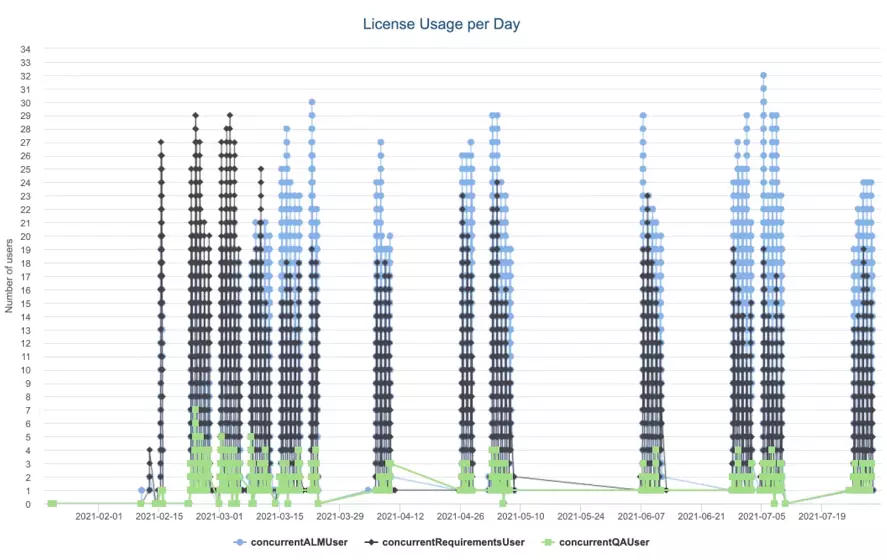
Polarion ALM standard "Global Administration->License" displays only the maximum peak of users since the last restart of Polarion.
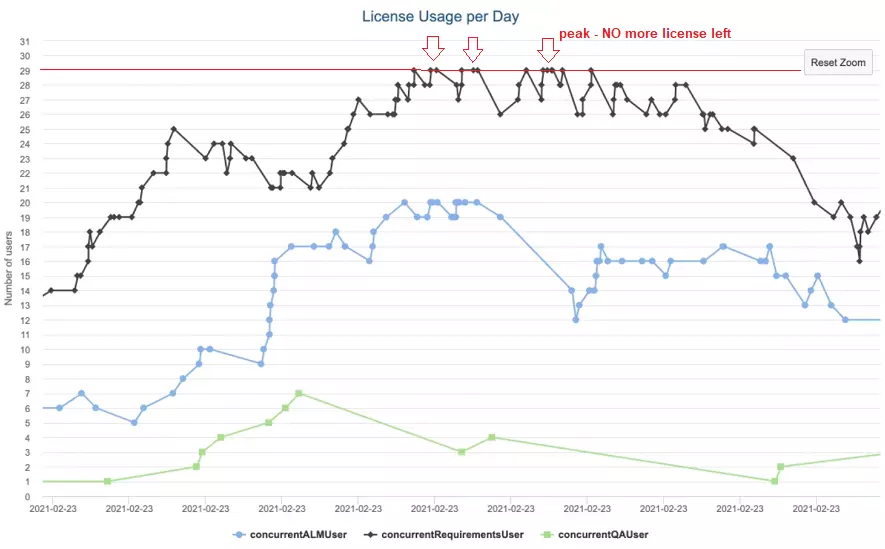
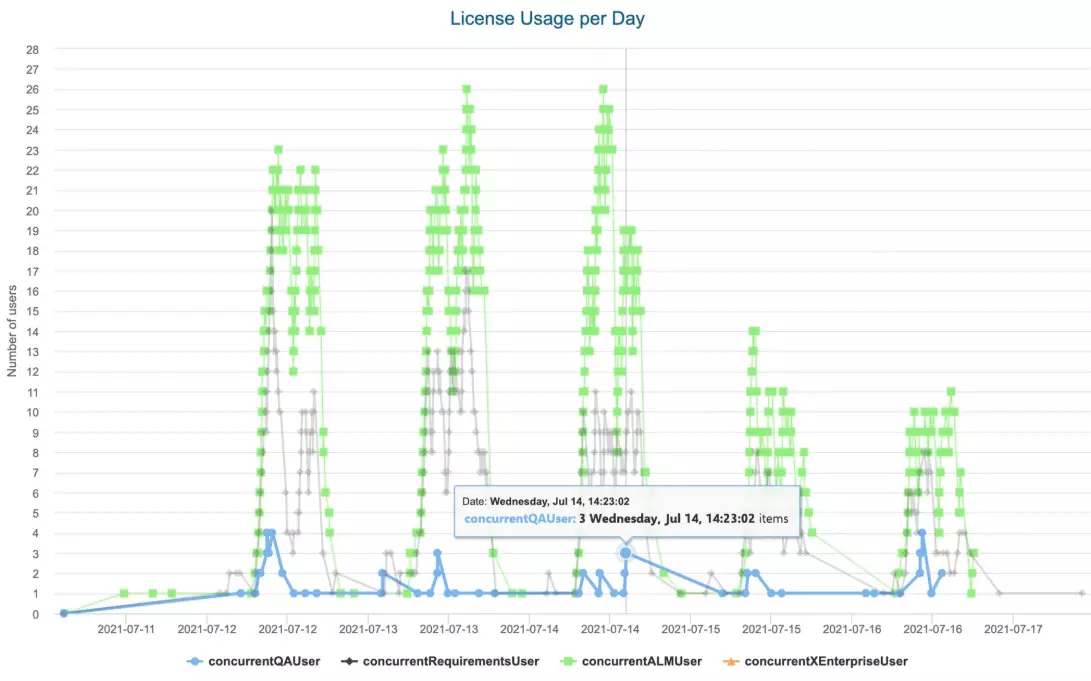
Quite often managers and administrators want to see the monthly/daily/hourly trend of license usage across multiple log files (ignoring the restart of Polarion server and merging the data from different log files).
Why you need it?
Do you know:
- How many users use Polarion ALM at your company?
- How many Polarion ALM Licenses are used every day, every hour?
- What is the usage pattern during 24 hours? Can you reuse the licenses in another geographical location?
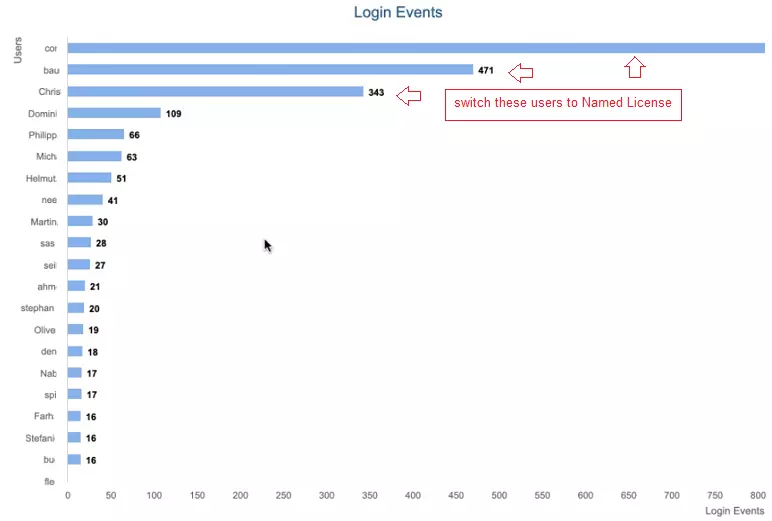
- How to optimize licenses assignment and benefit in long-run (switching some active users from Concurrent license to Named license) ?
This is critical information for a big Polarion ALM installation with 100+ users.
By knowing the statistical data you have a better license optimization and cost optimization, less users will get a disappointing message "You cannot login because the license is not available"
Our plugin can answer these questions and help you improve license managemen.
Features
- View the daily statistics - how many users login into Polarion.
- Find the "active" users, who use Polarion more and "not active" - who use Polarion less.
- Generate statistics information: License Usage Statistics.
- Find user's behaviour: who actively makes changes and edits information; who only reads the information.
Benefits
- View the license usage historical and current data at any time / instantly
- Analyze how many peaks do you have
- Optimize license usage by switching "extremely active" users from Concurrent license to Named license
Demo
Watch this video to learn the main features and to see how the product works.
CONTACT US
READY TO GET STARTED?
We are happy to show you how Garantis can expand your business opportunities. Book a meeting and we will discuss all the details with you and your team.